XML Viewer Plus
A fast, private XML viewer for Firefox desktop and Firefox for Android.
Screenshots
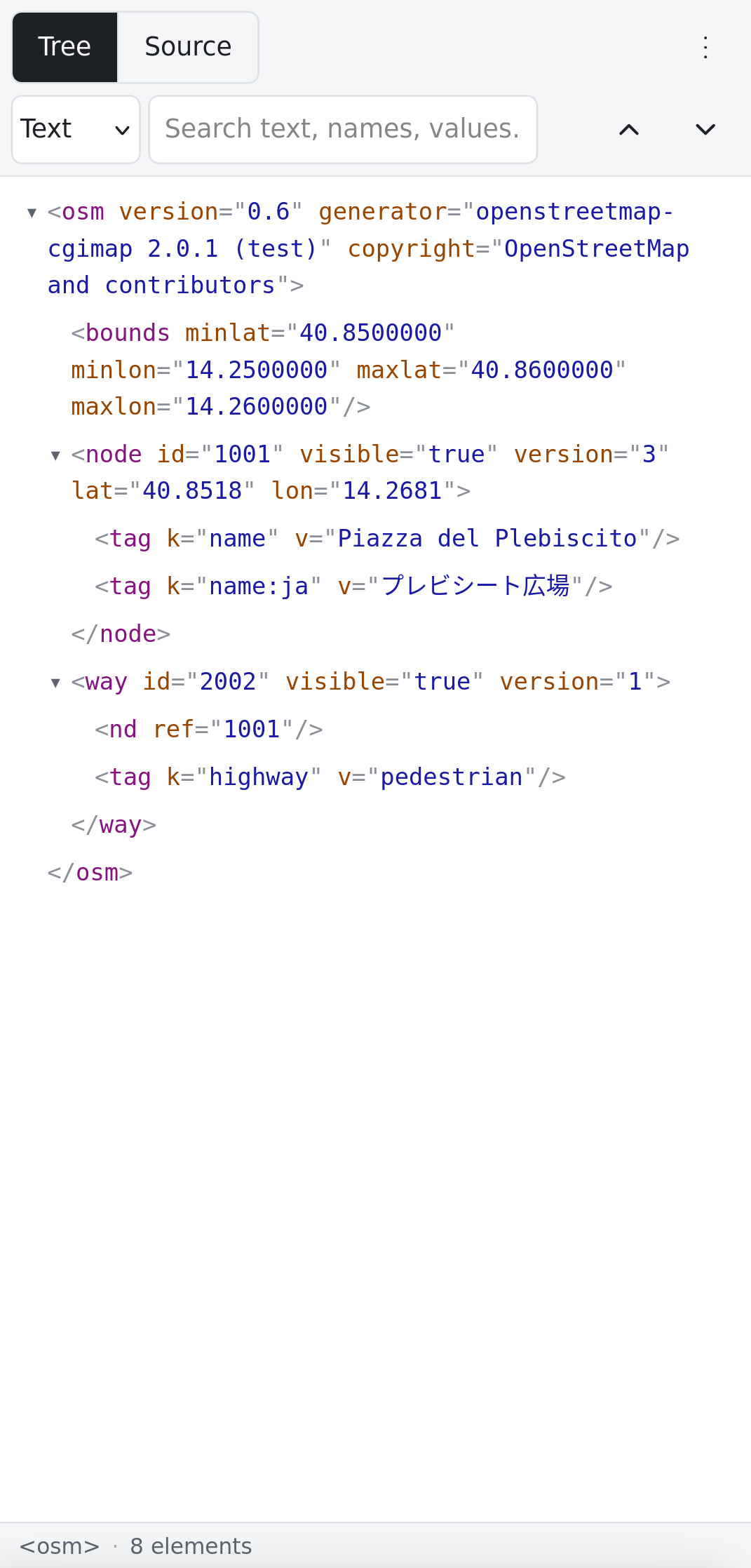
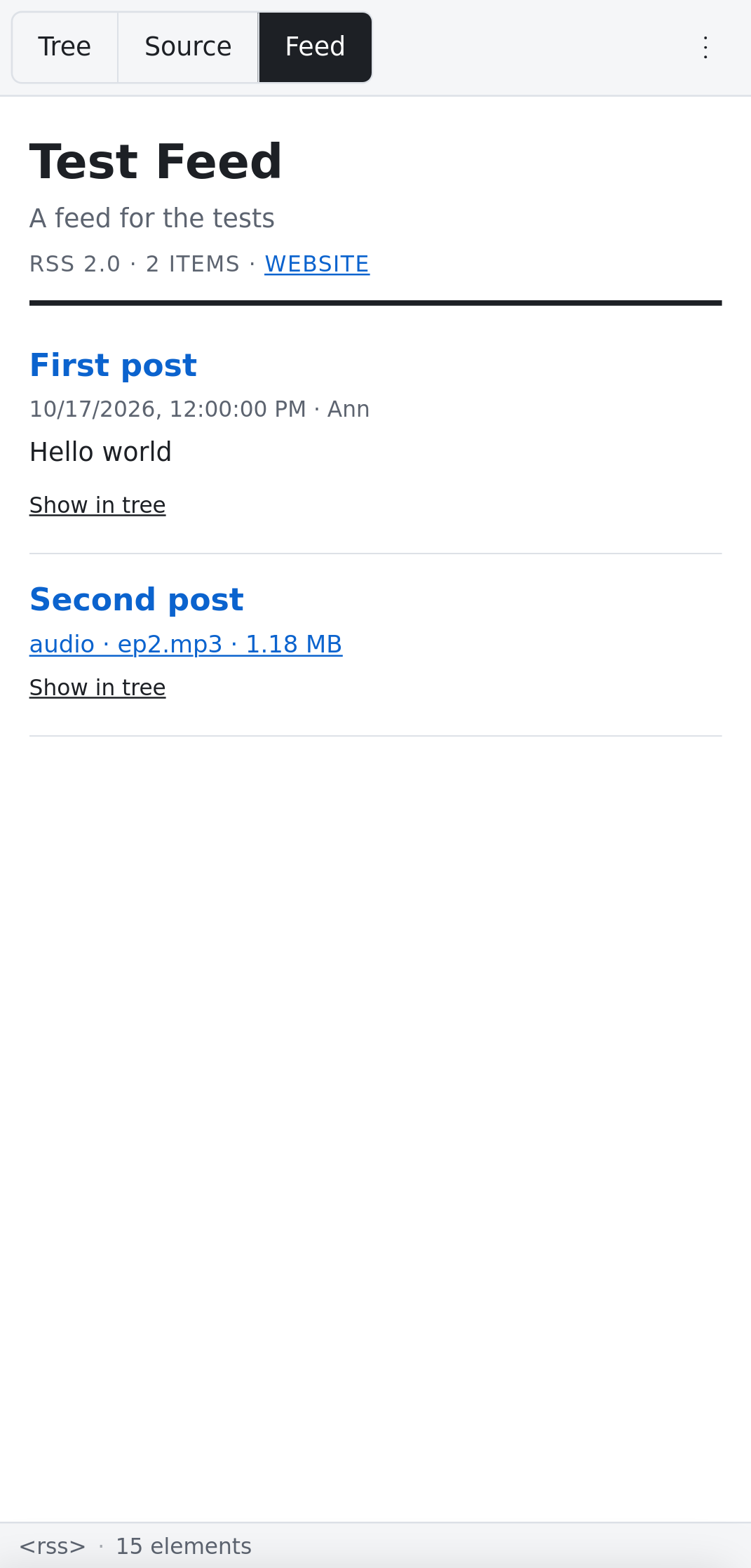
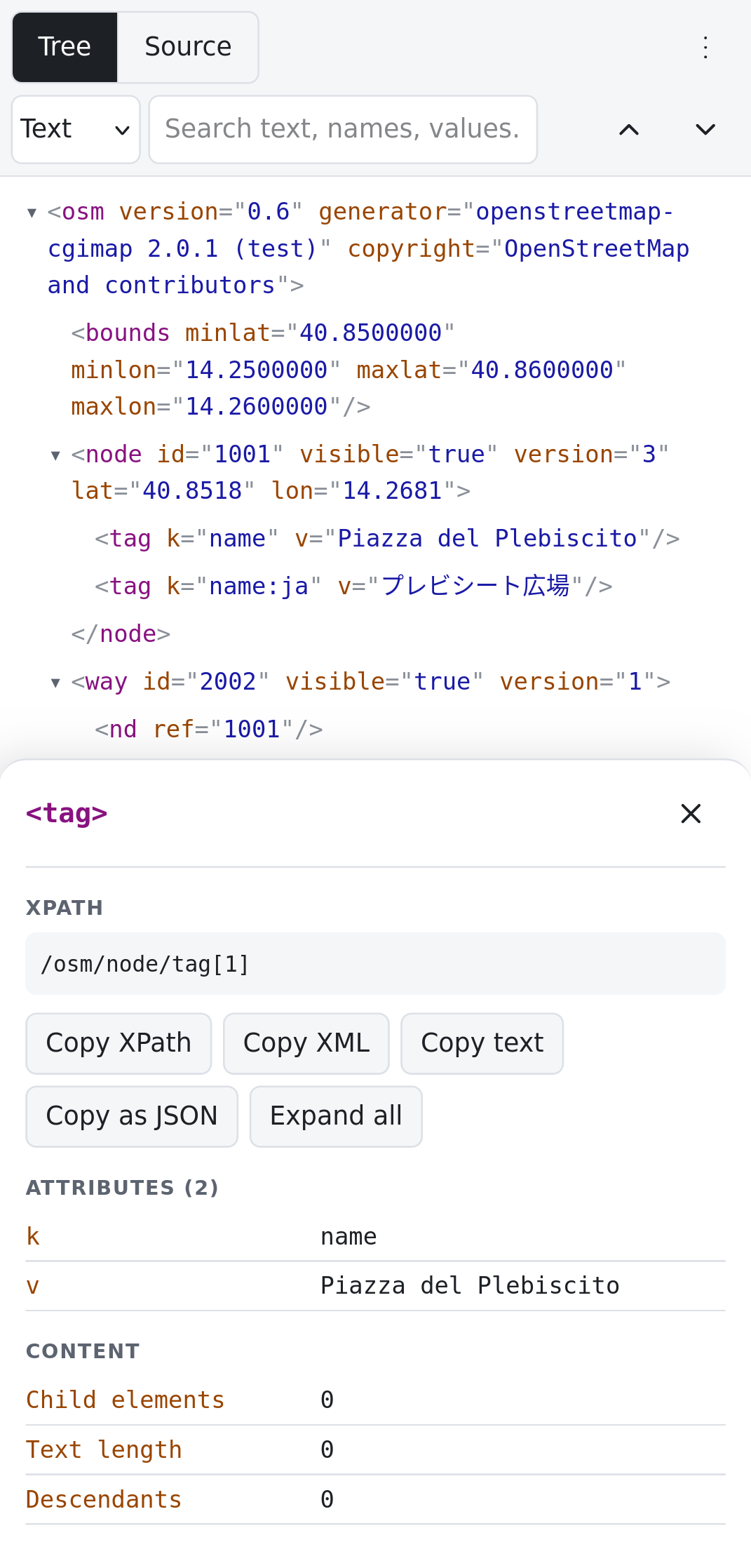
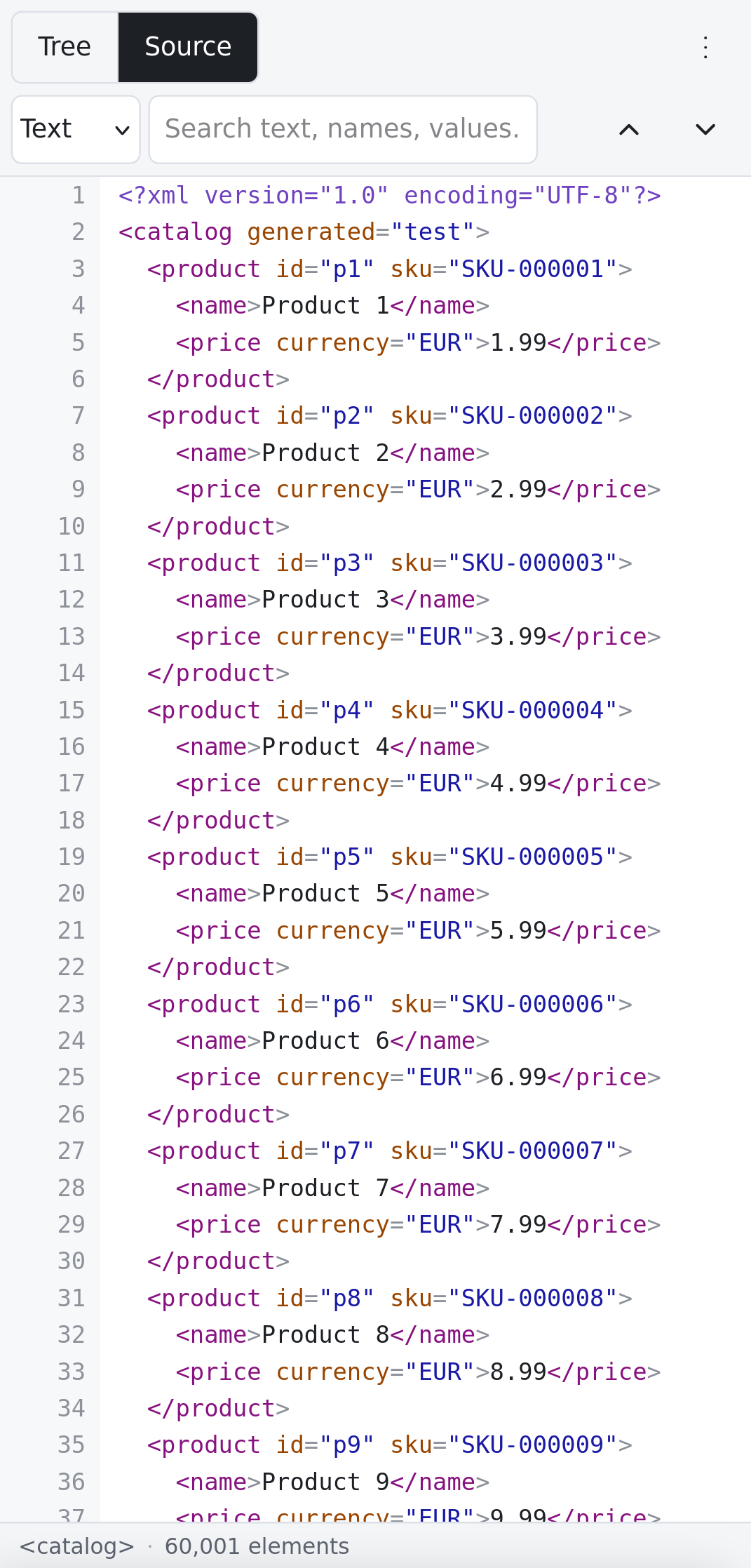
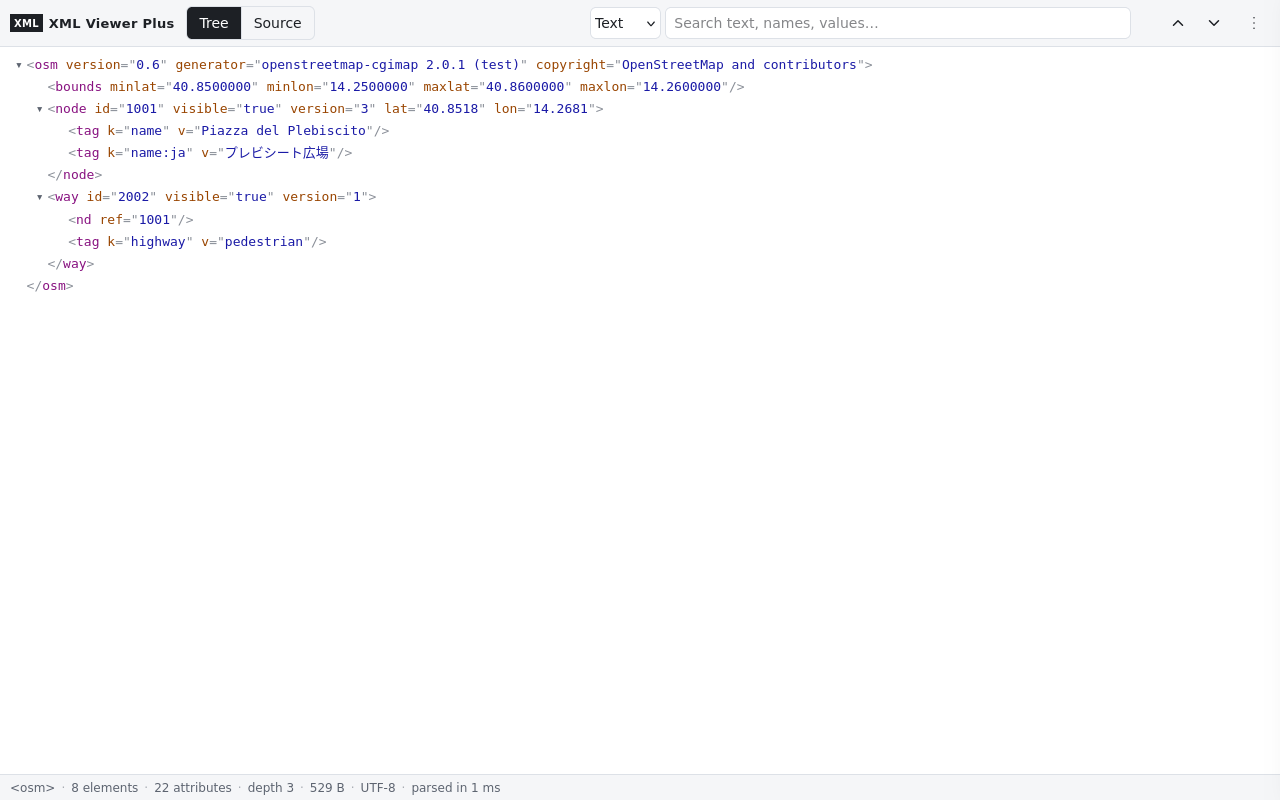
Opens XML automatically
XML Viewer Plus recognises XML by its content type, so the address does not need to end in .xml. It opens:
text/xml,application/xmland everyapplication/…+xmltype: RSS, Atom, SOAP, KML, GPX, XSD, WSDL…- REST APIs that return XML, for example
https://api.openstreetmap.org/api/0.6/node/1. - XML files served as
application/octet-streamortext/plain, when the address or the content shows they are XML.
SVG images, XHTML pages and downloads (Content-Disposition: attachment) are left alone.
Characters. The document is decoded with the encoding it declares: the byte-order mark first, then the HTTP charset, then the <?xml encoding?> declaration, then UTF-8. Documents in ISO-8859-1, Windows-1252, Shift_JIS or UTF-16 display correctly.
Views
| View | What you get |
|---|---|
| Tree | Collapsible and colour-coded. Short text stays on one line. Large lists load 500 children at a time, with no line limit. Use the arrow keys to move through it. |
| Source | Syntax-highlighted, with line numbers. Choose pretty-printed or the original text. The view is virtualised, so files of several megabytes scroll smoothly. Line wrapping is optional. |
| Feed | A reader view for RSS 1.0, RSS 2.0 and Atom: titles, dates, authors, summaries as safe plain text, enclosures, and Show in tree. |
Search
| Mode | Example | Notes |
|---|---|---|
| Text | Napoli | Searches element names, attribute names and values, text, comments and CDATA. In the Source view it searches lines. |
| Regex | ^SKU-0\d{5}$ | JavaScript regular expressions, case-insensitive. |
| XPath | //item[category='news']/title | XPath 1.0, with the document's own prefixes (//dc:creator). Expressions such as count(//item) show their value. |
| CSS | item > title | Any CSS selector. |
XPath and default namespaces
In XPath 1.0, a name without a prefix never matches an element that is in a default namespace. This is why //entry finds nothing in an Atom feed. XML Viewer Plus gives the default namespace the prefix d:, and tells you so when a query finds nothing:
//d:entry/d:title- or, without prefixes:
//*[local-name()='entry']/*[local-name()='title']
Press Enter for the next match and Shift+Enter for the previous one. / or Ctrl+F jumps to the search box.
Tools
- Node details: double-click a node, tap its (i) button, or long-press it on a phone. You get its XPath, namespace, attributes and size, and you can copy its XPath, XML, text or JSON.
- Export (⋮ menu): copy or download as XML, minified XML or JSON.
- Errors: malformed XML shows the parser message with the line and column, and the source view opens at that line. HTML entities such as
are accepted, with a warning. - Themes: light, dark or the system theme. Larger or smaller text.
- View original page shows the document as the site intended. Documents with an XSLT stylesheet get a View styled button.
- Context menu (desktop): View selection as XML, Open link in XML Viewer Plus, View this page as XML.
- Viewer page (toolbar button on any non-XML page): paste XML, open or drop a file, or load a URL.
Firefox for Android
Version 2.0 is built for phones too. Controls are touch-sized and the search box spans the full width. Node details open as a bottom sheet. On Android, the toolbar button is in the menu under Extensions → XML Viewer Plus. Android has no context menu for add-ons.
Local files (file://)
Since Firefox 153, add-ons cannot read files on your computer until you allow it. To open local .xml files automatically:
- Open Add-ons and themes (
about:addons) → XML Viewer Plus → Permissions. - Turn on Access local files on your computer.
Without this permission you can still use Open file… on the viewer page.
Settings
Automatic detection on or off, theme, text size, line wrapping, indentation (2 spaces, 4 spaces or a tab), tree depth on opening, feeds opening in the reader view first, and pretty-printed source.
Permissions and privacy
| Permission | Why |
|---|---|
| Access your data for all websites | XML can come from any site. On ordinary web pages the add-on reads a single property and does nothing else. |
| webRequest (blocking, filterResponseData) | Recognise XML responses by their content type and re-encode their text as UTF-8. Only top-level documents are affected. Security headers such as Content-Security-Policy are kept. |
| scripting | Insert the viewer only into tabs that contain XML. |
| storage | Store the settings, and the documents you open in the viewer page (session only). |
| menus, activeTab | Context-menu entries; the toolbar button. |
Nothing is collected or sent anywhere, and the add-on writes nothing to the console. The only requests it makes are for the document being viewed and for URLs you choose.
From the reviews
Version 2.0 is a rewrite that addresses the reviews of 1.x:
- “Doesn't work if the URL doesn't end in .xml”: detection now uses the content type.
- “Says invalid XML on valid files” / blank page: the viewer reads the original text, reports real errors with line and column, and accepts HTML entities.
- “Only 200 lines”: there is no limit; 60,000 elements open in about a second.
- “XPath doesn't work”: XPath 1.0 now works, with namespaces and value results.
- “Accented or non-English characters are broken”: the encoding is detected correctly.
- “Logs to the console on every site”: no console output at all.
- “Please add a light theme”: light, dark and automatic themes are available.
- “Context menu for links / feeds”: added on desktop.
- “Where is the source code?”: on SourceForge, MIT licence.
Source code
Plain JavaScript, with no libraries and no build step. The repository has an end-to-end test suite that drives a real Firefox through WebDriver BiDi (61 checks). Download xml-viewer-plus-2.0-source.zip from Files → 2.0.